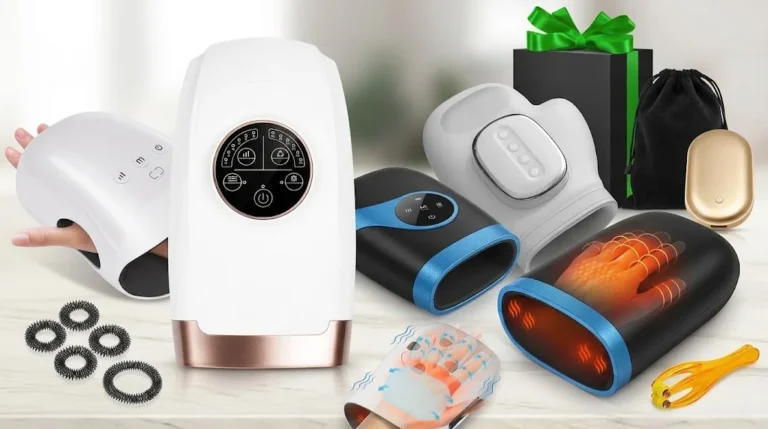
The Xllent hand massager is no longer sold on Amazon. Its listing now returns a "page not found" error. If you already own one, this page shows you how to use it and how to fix the usual problems. If you came to buy one, these four in-stock massagers are the closest replacements:
The Best Xllent Hand Massager Alternatives, Ranked

Why it's #1: it does everything the Xllent did (cordless air compression with heat) and adds vibration and six intensity levels. It also has about 2.6 times the 4,504 ratings the Xllent had in early 2024.

Why it's #2: like the Xllent, it pairs air compression with vibration, uses five intensity levels and shuts off after 15 minutes, so it feels familiar from day one. Its heat is milder.


How to use it, step by step
Fix charging, heat and pressure problems
Lost the manual?
Xllent vs. the 4 alternatives, side by side
Full replacement reviews
Quick answers (FAQ)
The Xllent hand massager was a cordless air-compression hand massager with heat. It had 4 airbags, 5 pressure programs, 5 heat levels and a 2200mAh battery that lasted 60 to 90 minutes. It peaked at 4.1 stars from more than 4,500 Amazon ratings, but its Amazon listing is gone and Amazon no longer shows any Xllent hand massager. To use one you already own, charge it fully, unplug it, and hold the center power button for 2–3 seconds. For heat, press the function key until the light turns red. To replace it, the Lunix LX3 is the closest all-round match still in stock.
Is the Xllent Hand Massager Discontinued?
Not on Amazon
Effectively, yes, at least on Amazon. The Xllent hand massager was first listed on Amazon on January 4, 2021, under ASIN B08RYG87Q4. When we checked it in October 2026, that listing returned Amazon's "page not found" error, and a search for "Xllent hand massager" showed only other brands. Xllent hasn't said why the product was pulled, and we found no replacement model from the brand on Amazon.
You may still see it on third-party marketplaces. A Newegg listing from an outside seller describes a model called Xllent NX-S168, with the same 4 airbags, 5 pressure modes, 5 heat levels and 2200mAh battery. Buying from a marketplace seller of a discontinued product can make returns and warranty claims harder, so check the seller's return policy first.
Xllent Hand Massager Specs at a Glance
These specs come from the archived Amazon listing (February 2024), which is the most complete record of the product. Some older reviews online list conflicting specs. One detail that tripped people up: Amazon's "power source" field said "corded electric", but the Xllent was a cordless, battery-powered massager that charged over USB.
| Spec | Xllent hand massager |
|---|---|
| Massage type | Air compression with 4 airbags; pressure points at the wrist, palm and fingers |
| Pressure | 5 compression levels (velocity key) |
| Modes | 3: compression only, compression plus vibration, compression plus vibration and heat |
| Heat | 5 heat levels (heating key; works in the heat mode only) |
| Power | Built-in 2200mAh rechargeable battery; USB-C charging port on the side; USB cable included |
| Run time | 60 to 90 minutes per full charge |
| Session length | 15-minute timer, then it shuts off on its own |
| Size and weight | 6.69 x 5 x 10 inches; 2 pounds; ABS plastic shell |
| Amazon rating | 4.2 stars (689 ratings) in March 2023 → 4.1 stars (4,504 ratings) in February 2024 |
| Returns | The listing offered free returns within 30 days |

How to Use the Xllent Hand Massager (Step by Step)
Xllent never published its instruction booklet online, but its Amazon listing included two instruction graphics: a four-step "How to Use" guide and a "Button Operation Sequence" chart. The steps below combine those official graphics with tips from owners' reviews. If you still have the paper booklet, follow it where it differs from this guide.
The Xllent Buttons Explained
The Xllent has one round control dial on top with four keys: a power button in the center and three keys around it. Each key steps through its settings and then loops back to the start.
| Key | Icon | What it does |
|---|---|---|
| Power | Center button | Press and hold for 2–3 seconds to turn on; tap once to turn off |
| Velocity key | Hand icon (left) | Sets compression strength: 5 levels from low to high, then loops back |
| Function key | Zigzag icon (bottom) | Cycles 3 modes: green = compression only (default), blue = adds vibration, red = vibration plus heat |
| Heating key | Heat-wave icon (right) | Sets heat: 5 levels from low to high, then loops back |

Step-by-Step Instructions
- Charge it fully before the first session. Connect the included cable to the USB-C port on the side and plug it into a standard 5V USB wall adapter (owners noted the adapter isn't in the box). While it charges, the function-key lights flash from left to right; when they stay on steadily, it's full. One owner warned that it isn't ready to use straight out of the box.
- Unplug it before you start. One owner reported that it won't run while it's plugged in, which is common with small cordless massagers. If it seems dead while charging, that's probably why.
- Take off rings and your watch. The airbags squeeze the fingers and wrist firmly, and jewelry can pinch.
- Slide your hand all the way in. Your fingertips should reach the far end and your wrist should rest at the opening, so the airbags line up with your palm, fingers and wrist. The listing asks you to check the size before buying for this reason.
- Hold the power button for 2–3 seconds. A quick tap won't start it. It always starts at compression level 1, in compression-only mode (green light), with no vibration or heat.
- Raise the pressure slowly with the velocity key. Each press moves up one of 5 levels. It squeezes harder than most people expect, and owners repeatedly warned about that, so go up one level at a time.
- Turn on heat with the function key, then set it. Press the function key once for vibration (blue light) and once more for vibration plus heat (red light). Then use the heating key to pick one of 5 heat levels, starting low. Heat only works in the red mode.
- Let the session finish, or tap power to stop. A built-in 15-minute timer switches it off. One owner noted that your settings don't carry over, so you'll start again from level 1.
- Wipe it down and recharge. Wipe the lining with a barely damp cloth, let it cool and dry, and top up the battery so it's ready next time.
The Xllent listing says a tingling sensation during compression is normal. Sharp pain, worsening numbness, or fingers that stay pale or blue after a session are not normal. Stop and lower the pressure, and see the safety notes below.
Xllent Hand Massager Manual: Where to Find It
We couldn't find an official Xllent manual PDF online, so treat any download site that claims to have one with caution. The button chart and steps above come from Xllent's own listing graphics and cover everything the booklet's quick-start section would. For anything else, here are your best options:
- Check the box. The paper booklet usually ships inside the packaging or under the charging cable.
- Contact the seller through your order. If you bought it on Amazon, open Your Orders, find the massager and use the product support or contact-seller option. Sellers can often email a PDF.
- Bookmark this page. The button guide and troubleshooting table answer the questions owners ask most.
Xllent Hand Massager Troubleshooting
These are the problems owners reported most often, with the most likely cause and a safe first fix for each. If a fix doesn't work, contact the seller rather than opening the case. Opening it can void any remaining support, and it has a lithium battery inside.
| Problem | Likely cause | What to try |
|---|---|---|
| Won't turn on | Power button tapped, not held; or a flat battery | Hold the center button for 2–3 seconds. If nothing happens, charge with a 5V USB adapter until the lights stay on steadily, then unplug and try again. |
| No heat at all | Wrong mode | Heat only runs in the red mode. Press the function key until the red light shows, then raise the heat with the heating key. |
| Lights flashing left to right | It's charging | Normal. The lights stay on steadily when the battery is full. |
| Works only while plugged in, or dies within minutes | Aging battery | A full charge should give 60 to 90 minutes. If a full charge lasts only a few minutes, the battery is failing, and it's time to replace the massager. |
| Won't run while charging | Normal behavior | Unplug it before your session. |
| Shuts off by itself | 15-minute auto shut-off | This is a safety timer. Turn it back on and reset your pressure and heat. |
| Squeezes too hard | Pressure set high | Drop to the lowest program, remove rings and reposition your hand. Stop if it hurts. |
| Heat feels weak | Low heat level, or a mild, localized heater | Check that the red light is on, wait a few minutes and raise the heat one level at a time. One owner found the heat concentrated in the middle of the chamber. |
| Heat feels too hot | High heat setting | Lower the heat or wear a thin cotton glove. Don't use heat on skin that has reduced feeling. |
| Weak or no squeezing; motor sounds strained | Air leak or worn motor | Charge fully and retest. If there's still no pressure, the pump has likely failed. Some owners reported losing pressure after months of use. |
| Lining irritates the skin | Textured fabric bumps | Wear a thin cotton glove during sessions. |
Xllent Hand Massager Review: What Owners Said
We didn't test the Xllent ourselves. This summary is based on its archived Amazon ratings and the owner reviews that were public while it was on sale. In short, it was a capable, strong squeezer at a gift-friendly level, held back by uneven heat and a durability record that was hard to trust.
Amazon's AI review summary at the time said customers liked the value, the ease of use and the pain relief, but that some had quality issues. It also said opinions were mixed on performance, battery life, comfort and temperature. The written reviews match that summary closely.
What owners liked
- Firm, full-hand compression that "squeezes harder than you think"
- Cordless, so it works in bed or on the couch; one owner said it put them right to sleep
- Quick USB charging, with lights that show when it's full
- Fit both a large man's hand and very small hands, in separate reviews
- A popular gift for parents and partners with sore, typing-tired hands
What went wrong
- Heat was inconsistent: too hot for some, barely warm for others (heat runs only in the red mode, which may explain some "no heat" complaints)
- Some units failed, anywhere from the first use to about eight months in
- One owner reported it won't run while charging
- One owner said settings reset after the 15-minute timer
- The textured lining irritated sensitive skin
- A 10% one-star share, higher than the best current rivals
That 10% one-star share is worth noting. Every replacement below sits at 7 to 9%, and two of them have far larger rating pools. If your Xllent has died, you aren't stuck with a gamble. You can trade up to a model with a longer track record.
Lunix LX3 Review: The Closest Like-for-Like Replacement

5★ 65% · 4★ 14% · 3★ 8% · 2★ 4% · 1★ 9%
- Cordless
- 6 modes, 6 intensities
- 2 vibration modes
- Heat up to 109°F
- Power-bank hand warmer
- FSA/HSA eligible
If you liked how your Xllent felt and just want a working one, the LX3 is the safest swap. It's the same kind of device: rhythmic air compression across the hand, fingers and wrist, with light acupressure, and no rolling balls or kneading nodes. Lunix adds two things the Xllent lacked, a vibration layer and a sixth step of intensity, so you get finer control at the gentle end. That matters if you found the Xllent's lowest setting already too firm.
The heat reaches up to 109°F, and Lunix describes it as gentle rather than intense. The box also includes a separate hand warmer that doubles as a power bank for the massager and your phone, which helps if the built-in heat feels mild. It's cordless and rechargeable, shuts off automatically, and has been on Amazon since 2019, with nearly 12,000 ratings.
The catch: heat-seekers may still find it mild, and a 9% one-star share shows it isn't flawless. If you have larger hands, compare it with the COMFIER below before you decide.
Lifepro Legra Review: Same Controls, Gentler Heat

5★ 60% · 4★ 19% · 3★ 8% · 2★ 4% · 1★ 9%
- 5 modes, 5 intensities (Standard)
- 15-min auto shut-off
- Compression + vibration
- ~104°F warmth
- Acupressure rings included
The Legra's Standard version will feel familiar to a former Xllent owner: five massage modes, five intensity levels and a 15-minute auto shut-off. Like the Xllent, it relies on air compression rather than rollers, with a pulse or continuous vibration option on top. The Extended version steps up to six modes and six levels and comes with a faster USB-C adapter.
Two differences are worth knowing before you buy. First, the heat is deliberately mild: it reaches about 104°F after five to seven minutes, and Lifepro suggests thin gloves if you want more warmth. Second, it focuses on the palm and wrist rather than each finger, and the airbags can leave a light dimple pattern on your skin that Lifepro says fades within about 30 minutes.
The catch: if your main complaint about the Xllent was weak heat, this won't fix it. Its four-star share (19%) is the highest of the group, so fewer owners give it a perfect five.
COMFIER CF-4403 Review: Room for Bigger Hands, Real Heat

5★ 73% · 4★ 9% · 3★ 7% · 2★ 4% · 1★ 7%
- Open-end chamber
- Up to 115°F in ~2 min
- 5 levels, 3 modes
- 1.5–2 hr battery
- USB-C, 15-min timer
- FSA/HSA eligible
The two most common Xllent complaints were fit and heat, and the COMFIER answers both. Its open-ended chamber is built for larger hands, so long fingers don't jam against a closed end, and you can use either hand by turning the unit over. The heat is the strongest in this group: it warms within 60 seconds and reaches up to 115°F in about two minutes, with overheat protection.
The massage is compression only (COMFIER says so plainly), with three patterns: full hand, a "ladder" that moves from fingers to wrist, and an alternating mode. It has five levels, starting from an extra-gentle Level 1 meant for sensitive or arthritic hands. The battery lasts 1.5 to 2 hours, longer than the Xllent's 60 to 90 minutes, and it charges over USB-C.
The catch: its rating pool (about 1,300) is much smaller than the Lunix's, so its 4.4 stars rest on less history. It also has no vibration. We cover another COMFIER model in our COMFIER hand massager review.
Snailax SL489 Review: The One Backed by a 2-Year Warranty

5★ 65% · 4★ 14% · 3★ 8% · 2★ 4% · 1★ 9%
- Cordless
- 3 pressure levels, 3 modes
- ~104–122°F heat
- 24-month warranty
- FSA/HSA eligible
Durability was the Xllent's weak point, with several owners reporting dead units within months. Snailax backs the SL489 with a 24-month warranty, and it's stated right on the listing. It's cordless and rechargeable, and its heat runs from about 104°F up to 122°F, so it's warmer than most compression massagers at the top setting.
The trade-off is fewer settings: three pressure levels and three modes, against the Xllent's five programs. If you always stayed on one or two favorite programs anyway, you won't miss the extras. At just over 3 pounds, it's also the heaviest model here, which you'll notice if you hold it on your lap in bed.
The catch: with only three intensity steps, the jump between levels is bigger. If your hands are very sensitive, the Lunix or COMFIER gives you a gentler starting point.
Xllent vs. the Alternatives: Side by Side
| Feature | Xllent | Lunix LX3 | Lifepro Legra | COMFIER CF-4403 | Snailax SL489 |
|---|---|---|---|---|---|
| Status | Gone from Amazon | In stock | In stock | In stock | In stock |
| Cordless | Yes | Yes | Yes | Yes | Yes |
| Settings | 3 modes, 5 pressure levels, 5 heat levels | 6 modes, 6 intensities | 5 modes, 5 levels (Standard) | 3 modes, 5 levels | 3 modes, 3 levels |
| Vibration | Yes | Yes, 2 modes | Yes | No | — |
| Max heat | Not stated | Up to 109°F | About 104°F | Up to 115°F | About 122°F |
| Battery / run time | 2200mAh, 60–90 min | Rechargeable | Not stated | 1.5–2 hours | Rechargeable |
| Auto shut-off | 15 min | Yes | 15 min | 15 min | — |
| Larger hands | Check fit | Check fit | Palm and wrist focus | Open-end design | Check fit |
| Rating | 4.1 (4,504, 2024) | 4.2 (11,836) | 4.2 (6,570) | 4.4 (1,290) | 4.2 (1,425) |
| One-star share | 10% | 9% | 9% | 7% | 9% |
"—" means the listing doesn't say. Ratings and stock for the four alternatives were checked on Amazon US in October 2026. For a broader roundup that includes CINCOM and QUINEAR, see our guide to the best hand massagers for arthritis, or read our CINCOM hand massager review and QUINEAR hand massager review.
Safety Notes Before Any Hand Massager Session
A hand massager can make tired, stiff hands feel more comfortable, but it doesn't treat arthritis or carpal tunnel syndrome.
- Numbness that keeps coming back needs a doctor, not a gadget. Carpal tunnel syndrome comes from pressure on the median nerve in the wrist, and the Mayo Clinic advises seeing a healthcare professional when symptoms interfere with daily activities or sleep, because lasting nerve damage can occur without treatment.
- Be careful with heat on reduced-feeling skin. If neuropathy, diabetes or another condition dulls the sensation in your hands, you may not notice a burn. Keep the heat low or off. Our guide to massagers for neuropathy explains why.
- Skip heat on a hot, swollen joint. During an arthritis flare, cold usually suits an inflamed joint better than warmth.
- Stop if it hurts. Firm pressure is fine; sharp pain, worsening tingling or color changes in the fingers are not.
- Ask first if you're unsure. Check with your doctor if you have a recent hand injury or surgery, circulation problems, or are pregnant.
Several of these replacements are listed as FSA/HSA eligible. If you plan to pay that way, our HSA and FSA guide explains how eligibility and receipts work.
Frequently Asked Questions
Is the Xllent hand massager still available?
Not on Amazon. Its Amazon listing (ASIN B08RYG87Q4) returned a "page not found" error when we checked in October 2026, and Amazon showed no other Xllent hand massager. A third-party seller on Newegg has listed a similar Xllent model, the NX-S168. Check that seller's return policy before ordering.
How do I charge the Xllent hand massager?
Use the included USB cable with a standard 5V USB wall adapter, which owners say isn't included. Charge it fully before first use; the indicator lights show when it's done. A full charge gives about 60 to 90 minutes of use. Unplug it before your session, since one owner reported it won't run while plugged in.
How do I turn on the heat on the Xllent hand massager?
Press the function key (zigzag icon) twice: the first press adds vibration (blue light), and the second switches to vibration plus heat (red light). Then press the heating key (heat-wave icon) to choose one of 5 heat levels. Heat doesn't work in the green or blue modes.
Why does my Xllent hand massager turn off by itself?
It has a built-in 15-minute timer that shuts it off automatically. That's a safety feature, not a fault. Turn it back on to start another session, and expect to reset your pressure and heat. If it shuts off after only a minute or two, the battery is probably flat or failing.
Is the Xllent hand massager good for arthritis and carpal tunnel?
Many owners said it eased achy, stiff hands, and some with carpal tunnel said it relaxed their hands. It's a comfort device, though, not a treatment. Start on the lowest pressure, keep heat low on sensitive or numb skin, and see a doctor if numbness or tingling keeps returning.
Does the Xllent hand massager fit large hands?
Owners reported mixed results: one said it fit a big man's hand well, and the listing itself asked buyers to check the size. If large hands are your main concern for a replacement, the COMFIER CF-4403 has an open-end chamber designed for larger hands.
What is the best replacement for the Xllent hand massager?
The Lunix LX3 is the best overall replacement. It's cordless, combines compression and heat like the Xllent, adds vibration and six intensity levels, and has more than 11,800 Amazon ratings at 4.2 stars. For the most familiar controls, choose the Lifepro Legra. For larger hands or stronger heat, choose the COMFIER CF-4403.
Can I fix an Xllent hand massager that stopped squeezing?
First, charge it fully and retest, because a weak battery can stall the pump. If it still won't build pressure, the air pump or an airbag has likely failed. We don't recommend opening the case, which contains a lithium battery. Contact the seller if you're still covered, or replace it.
Verdict
Own an Xllent? Charge it fully, unplug it, start on the lowest pressure, and add heat last. Most "it's broken" moments are the 15-minute timer or a flat battery.
Replacing one? Get the Lunix LX3 for the closest match, the Lifepro Legra for familiar controls, the COMFIER CF-4403 for big hands and real heat, or the Snailax SL489 for a 2-year warranty.
The Xllent earned its following by squeezing well in a cordless, gift-friendly package. Its replacements now do the same job with longer track records, better heat options or real warranty coverage.
Affiliate Disclosure: ProBodyMassager.com may earn a commission from qualifying purchases made through links on this page, at no extra cost to you. It never changes which products we recommend.